

For this hands-on use-case review, I looked at ProxyLine for Google Ads and local SEO from the perspective of an agency or in-house marketer that needs repeatable regional checks without constantly changing the testing environment. I focused on static IPv4 endpoints, city and subnet selection, HTTP/SOCKS5 support, short rental terms, pricing, and a workflow for validating location-sensitive search results, landing pages, ad previews and localized content. I treated the proxy as a testing tool, not as a way to bypass advertising-platform rules.
What I Tested
I structured the review around three practical tasks: checking how a search page changes by region, verifying that a localized landing page serves the intended language or offer, and reproducing a client report from the same network location over several sessions. For those tasks, a static endpoint is more useful to me than a constantly rotating one because it removes one variable from the test. I can keep the browser, cookies, proxy location and query method stable, then document what changes on the page.
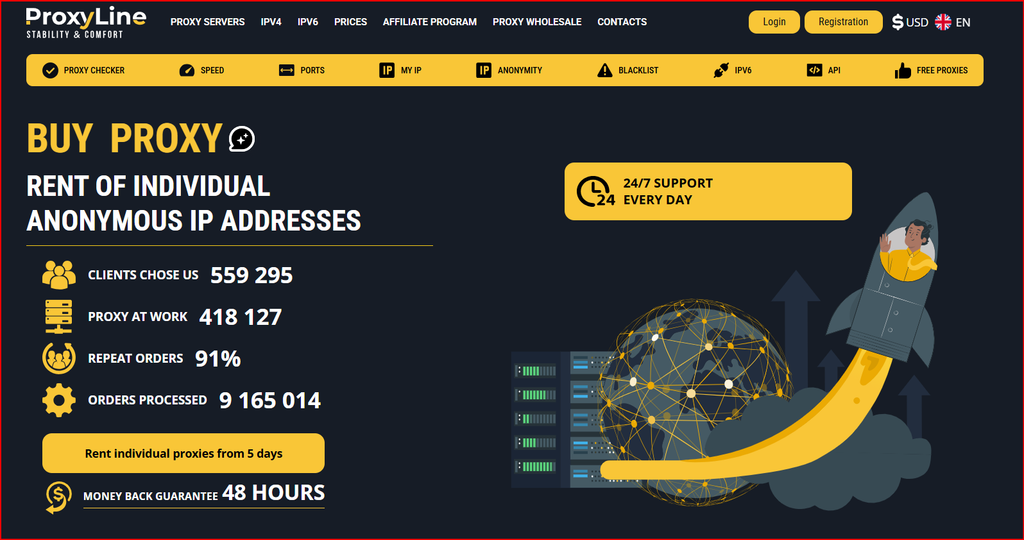
ProxyLine publishes individual IPv4, shared IPv4, IPv6 and MTProto products, with HTTP and SOCKS5 formats provided automatically. The site also advertises manual IP selection, subnet selection, city selection, automated activation, renewal controls, auto-renewal and API access. For local SEO, the most interesting controls are city selection and the ability to keep the same IP during a campaign window.
I did not treat a city label as absolute proof of what every search engine or advertising system will detect. IP geolocation databases differ. My workflow therefore includes checking the address in more than one lookup service and then validating the actual search, language, currency or ad-preview behavior I care about.
Why Static IPv4 Makes Sense for Regional Testing
For local SEO, I normally start with individual IPv4. It gives me a cleaner testing baseline than a shared address because only one customer is supposed to receive that individual endpoint. If I am checking a city-specific landing page or SERP every week, keeping the same address helps me compare results without wondering whether a different shared user changed the reputation or location history in between tests.
Shared IPv4 is still useful when the task is simply viewing public pages from another region and the result does not depend on account login or stable reputation. Its cost is lower, so it can be a reasonable choice for broad public-data spot checks. I would not use the cheapest product automatically; I would match the proxy type to how sensitive the test is to consistency.
IPv6 is much cheaper, but price is not enough. I would first confirm that the search engine, ad preview tool, CMS, analytics page or target site behaves normally over IPv6. If the workflow is inconsistent, the savings are not worth the troubleshooting time.
My Google Ads QA Workflow
When I review an advertising campaign, I avoid clicking live ads just to confirm that they exist because that can distort reporting and cost money. I use official preview or diagnostic tools when the platform provides them, and I use the proxy only for lawful regional page checks that do not violate the platform terms. The goal is to see whether a landing page, localized offer, phone number, language, currency or tracking flow looks right from the intended region.
I create a clean browser profile, assign one individual IPv4 location, verify the exit IP, and record the address, city, date and browser version. I then open the destination pages and note the result. If I compare two regions, I use two separate profiles so cookies and local storage do not contaminate the comparison. That makes the test easier to repeat for a client later.
For agency reporting, I save screenshots with the date and proxy region, but I do not present them as a substitute for first-party advertising data. The proxy view is a QA perspective. Campaign delivery, impressions and policy status still need to be checked in the advertising platform itself.
My Local SEO Workflow
For local search, I use a fixed query list and a fixed browser configuration. I keep personalization as low as practical, record whether I am signed in, and avoid changing multiple variables at once. Then I compare the visible search results, local pack, language and destination pages. If the project requires weekly tracking, I try to reuse the same IP or at least the same city and subnet category.
I also separate manual QA from automated rank tracking. A proxy that works well for a browser may not be the best fit for a large crawler. Automated tools need rate limiting, retries, caching and compliance with the target terms. Unlimited proxy traffic does not mean the destination grants unlimited automated access.
The most useful role for a static proxy in local SEO is verification. It gives me a second perspective on what a user in another area may see, especially when I need to confirm a redirect, geo-targeted banner, regional price, language variant or local landing page.
City, Country and Subnet Selection
City selection is valuable because country-level targeting can be too broad for local campaigns. If a client has separate landing pages for major cities, I would rather test a known city endpoint than use a random address from the same country. I still verify the detected location because providers and databases can disagree, but the ordering control saves time.
Subnet selection matters more when I manage many tests. I do not want every regional workspace concentrated in one tiny network block if I can diversify. A broader subnet mix can also help isolate whether a problem belongs to one network or to the destination itself. For a small campaign, however, I value stability more than artificially maximizing network diversity.
HTTP or SOCKS5?
For ordinary browser-based SEO and ad QA, HTTP is usually the easiest choice. SOCKS5 is useful when the application or testing utility expects it or when I need a more general transport proxy. ProxyLine provides both formats, so I can use the one my software documents most clearly.
During troubleshooting, I keep protocol changes separate from IP changes. If a page stops loading, I first retest the same IP and browser. Then I change one variable at a time. That simple discipline prevents me from blaming the proxy when the actual cause is DNS, a browser extension, a login session or the destination.
Pricing for Local SEO and Ad QA
Before ordering, I would verify the live details on the ProxyLine pricing.
| Proxy Type | 5 Days | 30 Days | 90 Days | 360 Days | Best Use |
|---|---|---|---|---|---|
| Shared IPv4 | $0.67/IP | $0.99/IP | $2.97/IP | $11.88/IP | Low-risk public checks |
| Individual IPv4 (1-20) | $0.96/IP | $1.77/IP | $5.31/IP | $21.24/IP | Stable regional testing |
| Individual IPv4 (90-1000) | $0.83/IP | $1.50/IP | $4.50/IP | $18.00/IP | Agency-scale inventory |
| IPv6/32 (1-99) | $0.10/IP | $0.51/IP | $1.53/IP | $6.12/IP | Only where IPv6 works well |
Pricing snapshot checked in September 2026. Provider prices, discounts, locations and terms may change.
What I Liked
The strongest points for this use case are the five-day rental option, individual IPv4 pricing, city and subnet selection, static addresses, HTTP/SOCKS5 delivery, automated activation and the ability to scale the inventory later. A marketer can test a small project without committing to a large monthly package.
I also like that the service is simple. Local SEO verification does not always need a huge rotating residential network. For many controlled tests, a predictable static IPv4 with a clearly recorded location is easier to operate and easier to explain to a client.
What I Would Improve
I would add more English-language examples specifically for local SEO, ad verification and localization QA. A short guide showing how to document a city-level test would make the product easier for agencies that are not proxy specialists.
I would also publish more transparency around live IP availability by city and subnet before checkout. That would help buyers plan a multi-city campaign without creating an order only to discover that a preferred location is temporarily limited.
FAQ
Can ProxyLine be used for local SEO checks? Yes, static proxies can provide another regional perspective for public search and localization QA, provided the workflow follows site and platform rules.
Is individual IPv4 better than shared IPv4 for this use case? I prefer individual IPv4 when I need repeatable tests, logins or stable reputation. Shared IPv4 is cheaper for lower-risk public checks.
Does ProxyLine support SOCKS5? Yes. The provider says HTTP and SOCKS5 formats are supplied automatically.
Can I choose a city? ProxyLine advertises manual IP, subnet and city selection. I would still verify the detected geolocation after purchase.
Should I use IPv6 to save money? Only after confirming the exact tools and target sites behave correctly over IPv6.
Conclusion
My final take is that ProxyLine is a practical fit when local SEO or advertising QA needs a small number of stable regional endpoints instead of a massive rotating network. I would start with individual IPv4, document the detected location, keep each browser profile tied to one test region, and use platform-native preview tools whenever they exist. For repeatable city-level checks, the ProxyLine local SEO proxy setup gives me the combination of stability, location control and low entry cost I would want before scaling an agency workflow.
